Featured Tip: Get your books in audio format so you can easily take notes as you listen. Get a free audiobook over at Amazon now.
Effective note taking skills are a very useful tool when you are in college.
If you have clear and concise course notes, it will make studying for tests easier and your coursework will be neat and organized.
In choosing between taking notes on a laptop vs. paper and pen, some students prefer to use their laptop.
Here are some quick tips for how to take notes effectively on a laptop.
Organize
If you are using your laptop to take notes in multiple classes, create a folder on your hard drive for each class. By saving your documents to class-specific folders, you make them easier to find and allows you to quickly access them when in class or doing coursework.
Typing Skills
Of course, taking notes on your laptop is only effective if you are proficient with typing. Improve your typing speed by taking a typing class or even try some online typing exercises. Most people type faster than they can write, therefore improving your typing speed can be a useful study technique.
Review Notes
Try to go over your class notes immediately after class or later in the day. If you go over your notes and expand on any shorthand you may have used, you will have an advantage since the material is still fresh in your mind. You can even organize or outline your notes to make it easier to study for future exams.
Use Note Taking Programs
There are a few note taking programs on the market that can assist students in taking notes while listening to lectures. These programs help you take notes, organize them, and even share them with others. An example of a popular program is OneNote, which is licensed and distributed by Microsoft and can be downloaded from their website. Evernote is also a great note taking program perfect for college students.
Invest in a Smaller Laptop
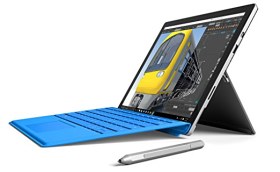
There are new laptops on the market now called mini notebook computers. They are small, lightweight, and perfect for simple note taking. You can even access the Internet from these computers. Since they are smaller, they are easier to carry around campus than a traditional college laptop.
Other Note Taking Tips
- Check with your professor first before using a laptop in class. Some professors may not approve.
- Keep your notebook handy just in case your professor draws a graph or diagram on the board, which you cannot easily duplicate on a laptop.
- Carry your AC adapter or plug with you or even an extra battery just in case your current battery runs out during class.
- Be sure to pay attention to the lecture while you take notes so you do not miss any important demonstrations.
- If you do the majority of your school work on your laptop, you may want to consider getting college textbooks in digital form for easier access in referencing material.
Using a laptop could be a more effective note taking method for you, however, if you think you will have trouble focusing while using a laptop in class, you may want to consider using a notebook and pen.