Subscribe

Get updates by:
facebook
facebook
Twitter
Twitter
RSS
RSS
Email
Email

Email us:

This e-mail address is being protected from spam bots, you need JavaScript enabled to view it
New Here?
1) Start Here
2) Get College Advice
3) Join the community:

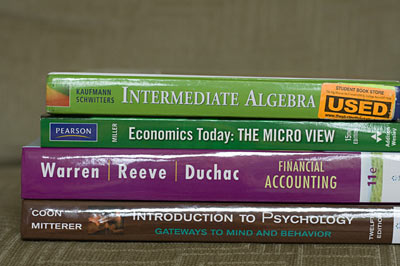
Textbook Recommendations

Renting: Chegg.com
Buying: Amazon.com
Downloading: CourseSmart

Also check current textbook coupon codes.

Selling? Get a Quote Now

Get your Resume Online in 5 Easy Steps

PDF Print E-mail
resume

Your resume is a marketing tool to sell you as the best candidate for the job. It’s best to tailor it to the specific job you are applying for, only put the most complimentary stuff on it, and always ensure potential employers have the most up-to-date info on you.

A resume you submit in paper form or as an email attachment can get outdated very quickly. What’s the best way to ensure job recruiters always have access to your most up-to-date resume? Make it available online on your own personal website.

First, you’ll want to update your resume.

As the year has progressed, you should have some significant material to add to your resume. Update your resume: If you’ve volunteered, interned, or joined a new club since you last updated it, add it in.

Finish building it up and then take it in to the career center for feedback.

The career center can help you craft the perfect resume. See if they have any upcoming resume workshops that can give you a chance to get your resume reviewed so you can further fine-tune it. You can also set up a meeting with someone in the career center and have them look it over and give you some pointers. There also may be someone in your major’s department who can do this as well, who may have better experience creating resumes for the specific field of work you are looking to get into.

Other Resume Tips

  • When summarizing previous work history, make sure you are listing what you accomplished, rather than sounding like a job description. Highlight your contributions: talk about your performance on the job. What did you contribute? How did you go above and beyond the basic job duties? Use strong action verbs.
  • Let your personality shine through on your resume. While relevant job skills are important, employers like to see you have other interests as well. Don’t be afraid to list leadership positions, hobbies, or other things you’re passionate about.
  • Use fonts that read well and look good in print or on screen, depending on the resume format you are submitting.
  • When emailing a resume as an attachment, send a PDF version to ensure the formatting stays the same on any computer.
  • Keep the resume to one page if possible.

Getting your Resume Online

Are you a real go-getter? Then this challenge is for you. It’ll take you about an hour or so to complete, but it will be well worth the effort and will really come in handy for your future job search.

Challenge: Create a personal website to post your resume.

When it comes to showcasing yourself online, a LinkedIN profile may be enough for some; then there's an about.me page for the creative types, but why not take it one step further with your own website?

Having your own personal website dedicated to hosting your resume is a great way to stand out and have a lasting impression on employers. Plus, the feeling of creating something and putting a live page up on the Internet for all to see is a thrill in itself.

Offering a good-looking resume on your own website rather than on a sheet of paper shows you’re ahead of the curve. Remember, it’s all about separating yourself from the hundreds of others who will be out there competing for the same job. How serious do you want to be taken when it comes to landing your desired job? Think about it: How many of your friends or classmates have a website for their resume?

It’s going to take a small investment on your part, about $6-$9 a month, (but you can get the first month for a penny when using the coupon code “1CENT” over at HostGator.com) a relatively small price to pay for what will really stand out in an innovative way.

Having your resume available online is great for the job search. Rather than sending attachments via email for jobs, you can simply email the URL of your personal website where the resume is posted. Also, you’ll be able to easily link to it from your online profiles, post it on business cards, and in any other correspondence you have with job recruiters. By making your resume available on the Internet you have the potential to reach an unlimited number of people.

Here's a quick guide on getting an HTML version of your resume up on your own website.

Create an online resume in 5 easy steps

Having a personal website dedicated just for your resume shows you’re serious about your career. This just speaks of professionalism and determination. You want your resume to be posted at firstnamelastname.com, something easy to remember that you can put on a business card.

Note: This short guide is designed as a super easy way of getting a nice looking resume up on your own website with the non-technical user in mind, without any knowledge of coding. After you get it up and running, you can expand your knowledge and the depth of your website at your choosing.

The steps outlined here should be able to be completed in about an hour and will cost you just a penny to get started. Give it a try!

Steps to take:

1. Go to HostGator.com

host your resume

This is where your online files will be hosted so they can be displayed on the web.

Select the ‘Hatchling Plan’ under web hosting plans. This is just the basic plan, and is all you will really need. It should cost you just a penny for the first month when using the coupon code “1CENT”.

web hosting plans

2. Next, you’ll have to pick your domain name. You want your own dot com here, preferably your first and last name if available: firstnamelastname.com.

select a personal domain name

3. Once you have the account setup at HostGator, go to CVMKR.com.

CVMKR.com helps you create an online professional-looking resume that you’re able to save in multiple formats (PDF, HTML, etc.) In this short guide, we’ll be saving the resume you create as an HTML file to later upload to your website.

Fill out the forms on CVMKR.com as complete and accurate as possible.

complete your resume

Upon completion of creating your resume on CVMKR.com, click the ‘Save & Download’ button and save the resume in HTML format.

4. The HTML file of your resume you just downloaded should now be saved to your computer as My_CV.html. Rename this file to index.html.

html resume file

5. Now upload this file to your website by using the File Manager in the control panel of your account at HostGator.com.

This tutorial gives an explanation of how to go about uploading files to your HostGator account. If you ever get stuck, the people over at HostGator offer excellent customer service if you have trouble getting your page up on the web.

Anytime you need to update your resume, you can simply log into CVMKR.com, make your changes and hit the ‘Save & Download’ button again. (Note: every time you make changes to your resume on CVMKR.com, you’ll have to save the resume as an HTML file and upload it again to your website.)

Upon completion of these steps, you should now have your own website with your resume publicly available to share with job recruiters.

 
Share it:
facebook
Twitter
Delicious
Reddit
Stumble

10 Little Known Facts about your College Mascot

PDF Print E-mail
IMG_8929

They entertain crowds with their school spirit and antics. They pump up fans loud enough to help sway momentum in their team’s favor. They pose for thousands of fan photos. But what else goes on in the secret world of a mascot?

Here we take an inside look at some things you might not know and see just what it’s like to be a college mascot.

1. The costume smells pretty bad

It's gross: anytime you’re in a mascot costume, you can expect to be sweaty, stinky and just feel nasty. The suit is made out of heavy material so the temperature inside gets a good 20-30 degrees warmer than the surrounding environment. This leads to horrid conditions inside. It’s possible to lose up to 10 pounds of body weight in sweat during a game. Any clothes worn under the suit typically get soaked all the way through.

Being a mascot may be fun, but it’s not easy. You run out of energy very quickly when it’s hot and you’re lugging around a 25-pound costume. It gets dry-cleaned regularly, but when you sweat that much into an air-constricted suit there is no way it's going to smell good. The best way to describe it is to think of a bad mix of BO and Febreze.

2. Mascots get a full-ride scholarship

Some will and some won't, but most Division 1 mascots get a full-ride scholarship. It largely depends on how prominent the athletic program is. Even the smaller schools will cover a large percentage of tuition.

3. They get excessive perks to the job

Mascots not only get to hang out and party with the cheerleaders, they get access to other perks as well. NCAA athletes get treated like kings. Since the mascot travels with the cheer team, they get treated the same way. We’re talking chartered jets to and from tournaments, fancy hotels, free food and meal stipends, and lots of free clothes and team gear. The athletic department spends more money than you think.

4. They go to Mascot Camp

Mascots go to summer camp. Schools will send mascots to these training camps to prepare and develop mascots for the coming year. Mascot camp is a 1-2 week summer program where students from all over the nation go to learn mascot skills. Apparently this is a time where mascots like to go crazy and party as well.

“I hear that when the B1G has their meet up of cheerleaders and mascots, it gets pretty insane.” – former college mascot

“The best part of mascot camp was playing dodgeball in costume with all of the other mascots.” - Mascot camp attendee

5. Most Mascot Fights are Pre-Planned

Most mascot fights you see are orchestrated. Before a game, mascots will get together and plan out mini-skits with the intention of entertaining the crowd. Sometimes mascots will have to share changing rooms and while hanging out during this time some like to arrange a “fight” to get both fan bases fired up. An actual fight would lead to the student being kicked off the mascot team, banned from all athletic events, and possibly suspended.

Not planned: fights started by the Oregon Duck and the Ohio Bobcat.


6. The worst time to perform is when hungover

The worst time to wear the suit and have to perform is when you are experiencing a hangover from the night before. While mascots aren’t allowed to go to parties with the suit on, they still roll with a crowd that likes to have a good time.

When you are hungover, you are dehydrated and considering how much you sweat while wearing the costume, your body loses more water. This just leads to more problems and amplifies the hangover. It gets so bad, you nearly pass out.

“My school is a big party school so I've had to make a lot of miserable appearance real hungover. Those are the worst.” – former college mascot

Aubie

7. There are multiple mascots at your school

Mascots carry a demanding schedule. It’s a very time-consuming job. Mascots do more than just sporting events as there are many off-the-field requirements at special events both on and off campus. You can even hire the mascot to perform at your next event: weddings, parties, etc. Sometimes mascots are even hired to work with psychologists to help children overcome fear of costume characters.

There’s no way a single student could carry the responsibility of all these mandatory events, therefore, some schools will have 4 or 5 students on the mascot squad. All members of the mascot squad share the same suit (Mascot suits are expensive). One mascot costume can even be shared by up to five people on the same day! (This really adds to the smell factor. Think of multiple sweaty dudes sharing the same suit on game day…or don’t.)

8. They strictly maintain a secret identity

Hokie Feet at Graduation

The college and mascot squad go to great lengths to keep the mascot’s identity secret. Sometimes only the closest of friends know (sometimes not even them). Students who mascot on game day usually have to resort to lying to their classmates on why they can’t make the game by saying they are an athletic intern or manager rather than reveal their true identity as the mascot.

Some mascots will end up revealing their identity at graduation by wearing some part of the costume at commencement. For example, at Virginia Tech, the Hokie Bird reveals his or her identity by wearing the Hokie feet at the graduation ceremony.

9. Going to the bathroom isn’t a problem

Mascots have to drink a lot of water to stay hydrated in the sweltering suit. While performing as a mascot, you would think that a trip to the bathroom would be difficult. Actually the costume makes you sweat so much that you just sweat it right out, so a trip to the bathroom while wearing the suit isn’t a problem. (You just wait until halftime.) It takes some time because they typically have to take the costume off.

"I'll go through three bottles of water and not have to pee once. You just sweat it all out."

10. They always have to be moving

Mascots are told they always need to be doing something because someone is always watching during games. “Even when you’re resting, if you’re standing doing nothing you’re breaking character,” says a former mascot. So much for getting a break in that large, big-headed, sweat-drenched suit.

 
Share it:
facebook
Twitter
Delicious
Reddit
Stumble

2013 NCAA Tournament Bracket

PDF Print E-mail

The field of 68 teams has been announced for the 2013 NCAA Men's Basketball Tournament. Follow along with the tournament by downloading and printing your tournament bracket below.

Download Tournament Bracket (PDF) 2013 NCAA Tournament Bracket
 
Share it:
facebook
Twitter
Delicious
Reddit
Stumble

Introducing: 30 Days to a Better Student

PDF Print E-mail

Last week we announced a project we’re developing that gives you an opportunity to take a huge step forward in bettering yourself as a student and essentially guides you to get the most out of your college experience.

The Challenge:

Become a Better Student in 30 Days

While the finished product will be a full-on downloadable workbook available this fall, we’re giving special access now to the first 50 people who want to accept the challenge and give it a preliminary test drive.

You’ll be getting early inside access to the eCourse version of the challenge:
Challengers will receive a daily email in their inbox everyday at 6am for 30 consecutive days with a task or challenge to complete or get started on for that day and an explanation of the benefits of doing the task.

Some of the tasks given will be uncomfortable because you’ll have to step outside of your comfort zone and push yourself to do better. Being a successful student is possible; sometimes you just need a little kick in the ass and new experiences to get things going. This is what this 30 Day challenge provides.

Interested in becoming a better student now? This is your chance (and we’re giving those first to try it out a massive discount).

By being one of the first to run through the course, you’ll be able to provide feedback on what worked, which tasks were strong or weak, and other ways to fine-tune and further improve upon this project.

By the end of the 30 steps you will:

  • Be a better, more organized student
  • Be more involved on campus
  • Have more friends and connections
  • Have greater self-confidence
  • Feel more a part of your school

Complete the tasks in this challenge and you will be a better student, full of confidence and determination, with a newfound, take-charge attitude.

Show your determination now by starting today.

60 day money back guarantee. If you complete the tasks in this challenge and you don’t think you have become a better student because of it, we offer a 100% money back guarantee.

Are you ready for the 30 Day Challenge?

I'm up for it!

I’m interested in improving myself. Send me the 30 day eCourse.

I'll wait

I’m interested, but I’ll wait until this fall. Put me on the list to be notified and I’ll receive a special list-only discount when the course debuts.

 
Share it:
facebook
Twitter
Delicious
Reddit
Stumble

New Year's Resolution: Be a Better Student

PDF Print E-mail

Since we’re all in the midst of forming New Year’s resolutions, we thought we’d let you in on a little secret and take action on one thing we all could do a little better at: Being a better Student.

Given it’s the New Year, perhaps it’s time to step up and show better dedication to your time in college.

Want to become a better student with a newfound, take charge attitude?

This is your chance, listen up.

We are releasing something big this fall. (Follow closely and you’ll find out how you can get early inside access as well as a massive discount on the price.)

We are designing a new guide. Actually, it’s more of a challenge/workbook.

Become a Better Student in 30 Days

This 30 day challenge is divided into 30 easy-to-follow tasks where each day in the guide gives you a specific task or challenge to complete for that day.

By the end of the 30 steps you will:

  • Be a better, more organized student
  • Be more involved on campus
  • Have more friends and connections
  • Have greater self-confidence
  • Feel more a part of your school

Don’t want to wait until this fall when the full guide is released?

We will be doing a special limited time pre-launch offer next week where we’ll be letting the first 50 people try it at a massively discounted price.

Come back next week and we’ll announce how you can get special limited access and a discount only available to you. Remember, this is only available to the first 50 people, so follow the blog closely and watch for the announcement.

 
Share it:
facebook
Twitter
Delicious
Reddit
Stumble

Ace your exams: Finals Week Preparation

PDF Print E-mail

Finals week is a test of endurance on your brain and body. For some, it will be hell. So to make sure you don’t end up like this during finals week, we offer some tips to get you ready and prepared for a week full of exams.

You need to be mentally ready to take on finals week: A sharp brain starts with proper sleep and a healthy diet.

Step 1: Get Proper Sleep

The amount of sleep you get has a major impact on your academic performance.

No all-nighters here: Your best bet is to get a full night’s sleep when studying before exams.

Researchers at UC Berkeley found that when we sleep we boost our ability to learn. Much of this brain boosting sleep happens in the second half of the night, so if you sleep six hours or less, you are shortchanging yourself and might not be able to learn as much.

Research has shown that brain waves during the latter part of the sleep period promote our capacity to store fact-based memories. “This discovery indicates that we not only need sleep after learning to consolidate what we’ve memorized, but that we also need it before learning, so that we can recharge and soak up new information the next day,” says Bryce Mander, a post-doctoral fellow in psychology at UC Berkeley who led the study.

Sleep not only refreshes the mind, but can make you smarter. The more hours we spend awake, the more sluggish our minds become. Therefore, pulling an all-nighter, a common practice during finals week, decreases the ability to learn new facts by nearly 40 percent, due to a shutdown of brain regions during sleep deprivation.

Image: The All-Nighter. Is this you right now?

Take a nap after long study sessions

When it comes to napping, power naps actually work. Naps under one hour long can dramatically boost and restore brain power. Anything longer can make you feel sluggish when you wake back up. Even a 20 minute nap will greatly benefit anyone who feels they need a recharge as it will improve overall alertness, boost mood and increase productivity. Therefore, after a long study session, it may be beneficial for you to take a quick nap so your brain has time to “file away” all the information you just took in and give it time for a quick recharge.

Read more on how much sleep college students should be getting.

Getting Alert

After a good night of sleep it can be a good idea to start your day off with a nice cup of coffee. Indulging in a caffeinated beverage of your choice will make you more alert. You don’t want to overdo the caffeine and become jittery, but a nice cup or two should help get the brain spinning.

Have a Study Plan

Take the time to plan out a study schedule for finals week. Decide how much time you will set aside, what tasks you will complete in this time and the order in which you will complete the tasks. When creating your study plan think about the times when you are most productive. If you find it easiest to study in the morning but hard to concentrate at night, schedule as much of your study for the mornings as possible. Be realistic when developing your game plan, otherwise it will be useless. Once you have a plan, stick to it and disregard all the distractions that come with college life.

Block out All Distractions

When it comes time to study you need to be 100% focused. This means blocking out all physical and mental distractions, including facebook and your cell phone. Always study in an environment that you are comfortable in that allows you to do your best work. You probably already know what sort of environment you are most productive in so try to recreate that environment when you choose to study.

Bonus Tip: Try switching around your study environments rather than using a single location to study. Studies show the environment you choose helps you remember things better. Simply alternating the room where a person studies improves retention as the brain makes subtle associations between what it is studying and the background sensations it has at the time. Studying in a more natural setting with a view can be even more effective.

Make Effective Use of your Study Time

It is important to make the most of the study time you have to maximize the results from the effort you put in. Know where you currently stand grade wise in your classes so you know how well you will have to do on the final to get the grade you desire. This will also help when it comes to prioritizing what class you need to study for the most.

Take Regular Breaks

As finals week looms, you might start getting the feeling that you need to work for hours on end, but in doing so you are actually doing yourself a disservice. Retention of information is best when your mind is fresh, so take short breaks regularly and remove yourself from studying so you can come back refreshed and ready to absorb more information. Maybe even consider exercising as a break. Exercise is said to sharpen the mind.

Don’t Stress: Overcome Test Anxiety

Preparing for Test Day

Make a checklist of things you need to bring to the exam and consult with it on exam day to make sure everything you need is on hand.

Use Office Hours

Take advantage of office hours and discussion sections before big tests. Students who properly utilize office hours often do better on exams and papers. The week before exams and finals are times in which your professor will be in high demand, so they may schedule additional office hours during that time.

Many office hours go unused by students, which is unfortunate because professors are such a great resource of information (they know what will be on the test). It is essential to visit during these times because professors are typically in the process of determining what will be on the exam and can give away clues about what will be on it.

It is important to ask lots of questions and make sure you are clear on what the exam will cover so you know you are focusing your energy wisely. If you can cut out material you don't need to focus on for the upcoming exam, you'll save yourself hours of study time. Knowing what to study (and what not to) before a test can be very beneficial.

Review Previous Tests

Go over previous tests that have been given throughout the semester. Spend most of your time learning what you got wrong. You should also take the time to get to know the format of the final so there are no misunderstandings later. Be sure to ask your professor for an old final exam for review purposes.

Study Time: Make flashcards for review

Flashcards are an excellent way to learn material and learn it quickly. It works in two parts because you are learning while you write the information down on the flashcards and then when you test yourself later, the information is reinforced. Run through these cards as much as possible to help the information stick in your mind.

Create flashcards for review using StudyBlue, an excellent tool to help with acing your finals.

StudyBlue is a free tool to help you study and prepare for exams (and better yet, actually learn and remember the material). With StudyBlue you can create digital flashcards with images and audio and use them on their free mobile app, making it great for studying on the go.

When reviewing flashcards, the application will remember what you get right and wrong so you can focus on the material you haven’t learned yet. With this technology you can also create personalized practice quizzes to further prepare yourself for the upcoming exam.

Using these tips can help you get better prepared and organized for a long, grueling week of exams. After finals week, a nice semester break comes well deserved. Take some time to unwind and enjoy some fun in moderation. Maybe even pull a dorm room prank or two.

 
Share it:
facebook
Twitter
Delicious
Reddit
Stumble

Resource Roundup: The Web's Best College Advice

PDF Print E-mail

When it comes to advice for college students, some of our most popular content includes our 100+ tips for college survival, our 50 tips for saving money in college, and 10 things you need to start doing for college success.

While they are all full of solid tips, we’re not the only ones serving up advice to college students. We’ve scoured the web for some of the best college advice and have listed those resources here below. We’re not going to list all 600+ tips we found here, but we’ll provide links to some great reading and share some of the top tips that we think each resource provides.

Here’s a quick look at some of the top college advice articles we’ll be looking at in this resource roundup.

1. Steve Pavlina’s 10 Tips for College Students
2. 10 Tips about College Majors and Careers at Psychology Today
3. 50 Tips for Freshmen at Xatal.com
4. 10 Things to do for College Success at CampusGrotto.com
5. 88 Surfire Tips for Success at OEDB.org
6. 50 Tips for College Students at Psychology Today
7. 42 Things I Learned Freshman Year at CollegeInfoGeek.com
8. 27 College Tips I Learned Sophomore Year at CollegeInfoGeek.com
9. College Advice: 100+ Tips for Survival at CampusGrotto.com
10. 27 Money Tips for College Students at GetRichSlowly.org
11. 118 Ways to Save Money in College at CollegeScholarships.org
12. 40 Money Tips for College Students at Bargaineering.com
13. Saving Money: 50 Tips for College Students at CampusGrotto.com


1) Steve Pavlina’s 10 Tips for College Students

Steve Pavlina is a personal development expert and one of the most popular posts from his blog is his “10 Tips for College Students”. Here are three great points taken from his advice.

  1. Answer the question, “Why am I going to college?”

    Many college students really don’t have a clear reason for being there other than the fact that they don’t know what else to do yet. They inherit goals from family and peers which aren’t truly their own. That was how I started college. Is this you as well?

    Your goals for college will likely be different than mine. What are they? Why are you there? If you don’t know — and I mean really know it in your gut — then you have no focal point for your experience. You may as well not even be there. What is it about your experience that resonates as true for you? What are you there to learn? What do you want to experience?

  2. Set clear goals for each class

    Decide what you want out of each specific class. Is this a subject you’re eager to learn? Do you want to target this teacher for a letter of recommendation? Is this a required class you must take but which doesn’t otherwise interest you?

  3. Take at least one extra class each semester

    Students are taught that 12-15 semester units (3-5 classes) is a “full” schedule. But a schedule that light is hardly full. A person with a full-time job will put in a good 40+ hours per week, and students enjoy every possible vacation day plus spring break, winter break, and summer vacation. If you want to spend four or more years in college, add more degrees or get a job on the side. Don’t feel you have to go at a snail’s pace just because everyone else does.

    If you’re an above average student, you can certainly handle an above average schedule. Sometimes we don’t know what we can handle until we push ourselves a little. If you think you can handle 15 units, take 18 or 21. You can easily shave a year off your schedule. Or you may be able to add a minor or a double major.

    I think the real benefit to a dense schedule isn’t that you’ll graduate sooner. The real benefit is that you’ll enjoy a richer experience. Taking five classes instead of four means more learning, more achievement, and more friends. And what employer wouldn’t be attracted to a student who graduated more quickly than his/her peers? This sort of thing sure looks great on a resume.


2) 10 Tips about College Majors and Careers at Psychology Today

Advice from Psychology Today says keep an open mind about your prospective college major:

"Try to ignore the pressure to declare your major before you're ready. It may feel like "everyone" has declared a major and knows what career they want to pursue, but that's really not the case. Surveys show that about 80% of first-year students don't know what they plan to major in-- and that over 50% of college students change their majors at least once before they graduate. Most schools allow you to pursue up to four semesters of study before you are required to declare a major, so if you need that much time, take it."

Read: How to choose a major

"Be prepared to be surprised. Most colleges have distribution or core curriculum requirements that require you to take classes in subjects you are currently unfamiliar with-- or maybe even dislike. Keep an open mind-- one question I ask my seniors who take my career classes is: "How many of you are majoring in the subject you planned to major in when you came to college?" Out of a class of 40 students I usually see only about 5 raised hands. I then ask them how they discovered their chosen major--- and for a majority of those students it was because they "had" to take a class in the subject and found it and/or the professor so interesting they decided to learn more."

Read: Advice on choosing classes


3) 50 Tips for Freshmen at Xatal.com

Xatal has 50 great tips for freshmen with some of the most solid advice relating to becoming more social in a new environment.

  • "Keep an open mind to different lifestyles and viewpoints. People in college come from all different walks of life, don’t rule them out just because their hobbies and views are different than yours. Make friends of all different types."
  • "Adopt a ‘Yes Man‘ attitude. Start accepting opportunities as they come to you instead of making excuses not to do something. You’ll be amazed at how much more interesting your life will become."
  • "Make friends early on. The first couple of weeks of school are the easiest time to make friends. Take advantage of this to meet people and put yourself out there."
  • "Leave your dorm room door open when you’re there. This is a great way to encourage people on your floor to stop in and chat for a bit. When everyone on a floor does this, a sense of community develops pretty quickly."

4) 10 Things to do for College Success at CampusGrotto.com

The next piece comes from a great guest post provided by Isa Adney of CommunityCollegeSuccess.com on 10 things you need to start doing for guaranteed success in college. Here are a couple to get you going:

  1. Write down your goals

    Writing down your goals changes everything. It feels like magic. That magical feeling comes from the incredible results of being focused. The most common thread in all successful college students I’ve ever met is the ability to focus.

    When you write down your goals and read them every day, your mind is suddenly focused on what you need to do that day and what opportunities to seize in order to make those goals a reality. Write down your goals today and put them all over your room. Trust me.

  2. Visit the career center often

    It’s vital to figure out what major and career interests you the most as soon as possible. Having direction will give new life to your college experience. The best way to find this out is through your college’s career center. Take all the career tests they have. Read at least three books about career discovery. Do a resume review. The career center is one of the most underutilized resources in college and yet it is one of the most valuable.

  3. Get a fascinating internship

    Internships can open doors and help you learn about the professional world more than anything else. Whether it is paid or unpaid, in a large company you’d die to work for or a small start-up, find one that fascinates you. Get an internship doing something or being very close to something you really, really want to do with your life. This is where internships have the most benefit, because you’ll have the opportunity to see if it’s something you actually want to do. It will either show you the career is not what you expected it to be, or it will give you a great experience and contacts in the career you want to go into.

    >> Browse Available Internships


5) 88 Surfire Tips for Success at OEDB.org

Here are three great recommendations from their “88 Surfire Tips for Succeeding in College”:

  1. "Take advantage of every moment you have in the next few years. At most colleges you have a plethora of resources there to help you grow into a successful person, if you simply know where to look and are willing to take advantage of them."
  2. "Prepare for each class as though there would be a pop quiz. The benefit of this is two-fold: firstly, you'll be more able to participate in class; secondly, you'll be prepared if there actually is a pop quiz."
  3. "Get to know your professors. It is pretty easy to coast through college without ever getting to know your professors. It will take a bit of effort to get many of them to even learn your name. But doing so could really pay off when you need a letter of recommendation or if you plan on doing an independent study."

6) 50 Tips for College Students at Psychology Today

  • "Get involved on campus. All work and no *productive* socializing is boring."
  • "There are a lot of free activities on campus. Take advantage of them."
  • "Stay on campus on weekends. If you go home every weekend because you are homesick or have a girlfriend/boyfriend back home, you will be missing out on a lot of the college experience."
  • "Use flashcards to quiz yourself when studying. And get someone else to quiz you with them. If you always quiz yourself with your own flashcards, you may skip over some that you don't know the answer to."

7) 42 Things I Learned Freshman Year at CollegeInfoGeek.com

A great up-and-comer to the college advice scene, Thomas Frank shares 42 things he learned his freshman year of college. Here are five quick ones:

  • "Get to know your professors. College is just as much about networking as it is about sitting in class. Plus, most of them are bored out of their skulls during office hours."
  • "Live in the campus residence halls your first year if you can. Residence halls are much, much more social than apartments, and you’ll be involved in a lot more cool things."
  • "When you study, don’t do it in your room. Also, try to use an active study method such as making flashcards or writing your own quizzes. It’s a lot less boring and a lot more effective than just looking over your professor’s slides."
  • "Get out and explore your campus. If you have to ask your friends where the main financial office is, you’ve failed. Same goes for exploring the city your campus is in."
  • "Be confident, get out of your comfort zone, and try new things. College is the greatest opportunity you’ll ever have for personal development."

8) 27 College Tips I Learned Sophomore Year at CollegeInfoGeek.com

Thomas Frank did a follow up to his freshman post: 27 Tips he learned during his sophomore year. Here are some of the highlights:

  • Don’t take on commitments just because you think they’ll look good on a resume.
  • Try to focus on a few things rather than juggling a ton.

    "Students – especially the success-minded ones – tend take on commitments by the boatload. They think that the more things they fill their resumes with, the better. The problem with this strategy is that, if you try to do everything, you’ll be good at nothing. Hardly anyone remembers the people in history who were the Jacks-of-all-trades (with a few exceptions); no, the ones we remember are the ones who found one passion stuck to it."

  • RainyMood + classy music = perfect study sounds.

    "Great study music can make late-night cramming sessions a lot more bearable, but things really get interesting when you combine it with white noise. By far my favorite type of white noise is the sound of rain – and I’m definitely not the only one. RainyMood, a site whose only purpose is to play the sound of rain, has been Liked, Tweeted, or otherwise shared over 456,000 times. This insanely popular site is the perfect companion for low-key music."


9) College Advice: 100+ Tips for Survival at CampusGrotto.com

Some of the key points taken from our 100+ tips for college include:

  • Take advantage of office hours. They are there for a reason. It's your chance to get one-on-one help from a highly qualified teacher. If you are struggling in class, there is no reason why you shouldn't be going to your teacher's office hours.
  • Make a real effort to get to know more people. This is a new beginning for everybody and a great place to make new friends. Be outgoing and ready and willing to meet new people. These people are in the same boat as you.
  • Before selecting your major, consider taking a few related classes or even doing an early internship to make sure it's actually something you want to do.
  • Take a wide variety of classes your first two years, that's your experimental phase. Take the courses that interest you and some that don't. Give your mind and soul opportunities to be bent in directions you would not ordinarily choose. You may just find something you love that you didn't even know existed or that you thought you hated.

Money Tips

10) 27 Money Tips for College Students at GetRichSlowly.org

This site offers immediate financial advice for those about to go off to college:

"Now that you’re on your own, you might be tempted to spend money on all the things your parents wouldn’t let you have before. Go slow. If you play it smart, you can avoid the sort of money troubles that plague many young adults."

To follow up on this money advice, they also include:

  • "When you want to buy something, ask yourself “Do I need it?” If you think you do, then wait. Don’t buy on impulse. Write the object of your desire on a piece of paper and pin it to the wall. Look at it every day for a week. If, at the end of the week, you still think you need it, then consider purchasing it."
  • "Live without a car. Cars are expensive: gas, maintenance, insurance, registration, parking. Stick close to campus. Learn to use mass transit. Find a friend who has a car."
  • "Take advantage of campus activities. There’s always something to do. Attend free movie festivals. Pay a few bucks to see the local symphony every month. Support the sports teams. Attend lecture series. Get the most from your student ID!"

11) 118 Ways to Save Money in College at CollegeScholarships.org

  • "If you are buying new [textbooks], check for an “international” edition. The book will be almost exactly the same, except for maybe some Chinese characters on the front, AND it will be exponentially cheaper."
  • "If you live on campus and pay for a partial or whole meal plan, then use it. Some programs don’t restrict you from taking food to go or eating as many meals as you wish."
  • "If you’re buying a computer, save by shopping the student specials; discounts, rebates and back to school specials. Some regions/states even have a tax-free shopping week. Apple Computer offers student discounts to students and teachers, and consistently advertises important education incentives and rebates."
  • "A student travel discount card will get you nice discounts on accommodations, food, and transportation if you are traveling nationally or internationally."

    For discounts book with STA Travel and carry a International Student Identity Card (ISIC).


12) 40 Money Tips for College Students at Bargaineering.com

"Have fun while you’re in college. You will never again have the same mixture of freedom (no parents!) and direction (go to class!) in your life, so take advantage of it. Take advantage of all the free seminars and conferences your school will no doubt offer, go to the free movie nights and participate in intramural sports. Most of all, leave your comfort zone and try things you don’t think you’ll like because you never know what can happen. Best of all, most things on campus will be free (technically it’s included with your tuition) so take advantage! Once you graduate, everything will cost money."

And on selling textbooks…

"List your textbooks online about a week before finals. That way by the time it sells, you will have no need for them. If the book is being reused the next semester, list it on your school’s for sale boards. You will earn far more selling it locally than on a website, which takes a commission."

This is good advice because it is the best time to sell.


13) Saving Money: 50 Tips for College Students at CampusGrotto.com

  • Keep an eye out for free activities on campus. Most college campuses have free entertainment almost every night. For example: some colleges have a weekly movie night that is free to all students.
  • Take a look at your college bill. Certain fees are optional. If you won't be using your college's fitness center, remove the fee.
  • Take advantage of student services. There are plenty of free programs that assist you while going to school. From health care to transportation, there are many different ways to save money.

Know of any other advice links that have helped you in your college quest? Send them to This e-mail address is being protected from spam bots, you need JavaScript enabled to view it

 
Share it:
facebook
Twitter
Delicious
Reddit
Stumble
<< Start < Prev 1 2 3 4 5 6 7 8 9 10 Next > End >>

Results 1 - 7 of 418

Access more useful college info:

Enter your email address to get more tips by email.


On Facebook? Like Us

Related Articles

Get College Tips by Email:

Upcoming Articles:

  • Most Expensive College Dorms
  • The 100 Greatest College Traditions
  • Banned College Traditions
To get these, subscribe by email.

Reader Testimonials
“I like the articles that are written here. There are plenty of other blogs that cover being frugal as a student, but you cover stuff that other places don't.” - Sarah E., USC

"I like the fact that you’re actually offering interesting, useful information to students." - Pedro M., Harvard

In the News:

Press

Learning Online

Access select online courses:

I am interested in studying

College Guides

College Admissions
Paying for College
Degree Guide
Textbooks
College Life
Study Tips

Compare Student Loan Rates

Student
Parent
Graduation:
Loan Amount:
$